AMD's Agent Profiling Tutorial for Instinct GPUs: What It Proves
AMD's ROCm tutorial profiles an AI agent on Instinct GPUs and shows a slow tool going from 83.8 s to 7.0 s. Those are example values, not measurements.
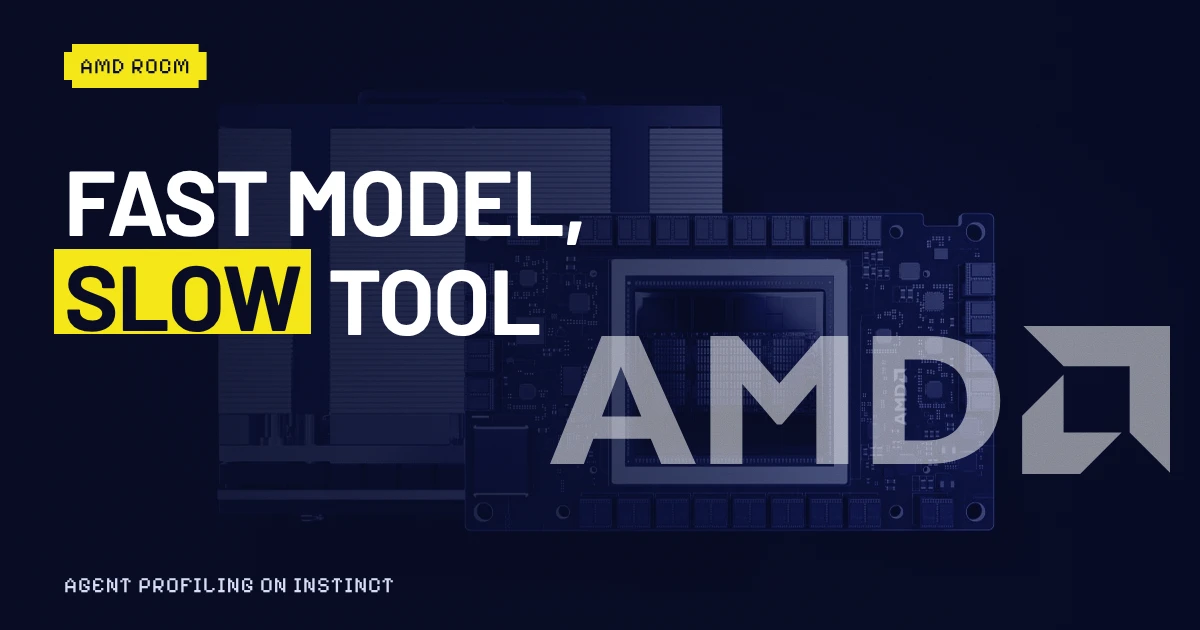
The chart at the end of the new AMD agent profiling tutorial shows a text-to-speech tool dropping from 83.8 seconds to 7.0 seconds, about 12 times faster. It's the kind of picture that gets screenshotted. The notebook that draws it says, in plain words, that those numbers are "pre-filled example values" you're meant to replace with your own.
That detail changes how to read the whole tutorial, which is still worth your afternoon. It's a clean, working lesson in AI agent profiling on AMD Instinct GPUs, published on the AMD ROCm AI Developer Hub and listed in its changelog as the single addition in hub version 16.0.
A model that's fast and an agent that isn't
The tutorial page is dated Sept. 28, 2026 and rated intermediate, with three listed authors. Its premise is one sentence: an agent is only as fast as the tools it calls, so one slow tool can drag down a run even when the model driving it is quick.
You run a real agent, Hermes, an open-source framework from Nous Research, and give it a job: write about 1,000 words on AMD GPUs, then turn them into audio with a custom Kokoro text-to-speech tool. The setup records everything. According to the tutorial, traces go to MLflow, and CPU and GPU metrics go to Prometheus and Grafana, sampled every 100 milliseconds. A Streamlit dashboard lines them up.
The reveal is visual. The text-to-speech span is the longest bar in the trace, and underneath it the GPU is mostly idle. In AMD's words, that gap is the bottleneck.
The 83.8-second number is a placeholder
Here's what the tutorial's own code says. Three variables are set before the chart: 11.1 seconds for Edge TTS, a cloud service; 83.8 for local Kokoro run one sentence at a time; 7.0 for the batched version. The text above them tells readers to replace the defaults with times from their own runs.
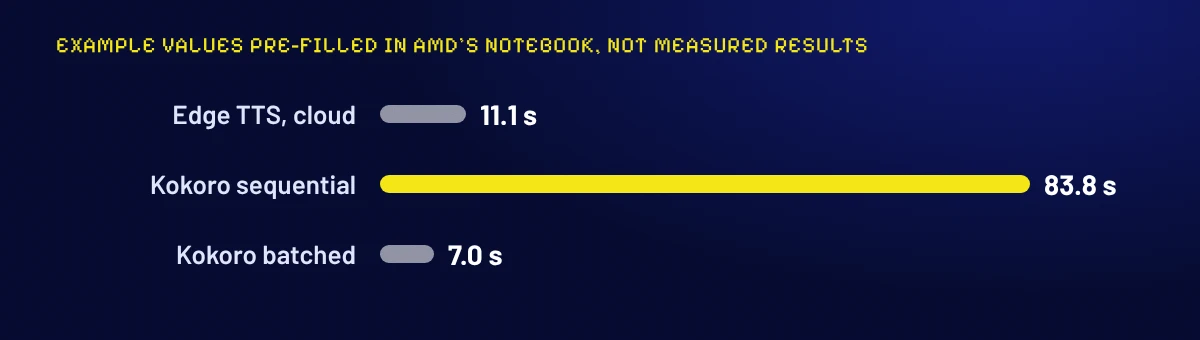
Our arithmetic, so you can check it: 83.8 divided by 7.0 is 11.97, and the gap is 76.8 seconds. Edge's 11.1 divided by 7.0 is about 1.6. The tutorial also warns that Edge truncates long text, so its bar is context, not a like-for-like comparison.
Our reading: the shape of the result is believable. Feeding a GPU one sentence at a time wastes it, and the dashboard really would show that. But AMD hasn't published a measured benchmark here, and a headline of "12x faster" would claim more than the page does.
What the fix actually is
The optimization isn't a ROCm trick. Per the tutorial, Kokoro has no native batching, so the batched mode is AMD's reimplementation: it groups sentences and sends them through the GPU together, 24 per forward pass by default. Fewer launches, more work per pass, same audio.
One caveat is buried in the notes. The first Kokoro run compiles GPU kernels for your input shape and can take minutes; later runs reuse them. A cold first run will make any "before" number look worse than it is.
Whose code you're running
The tutorial leans on more than AMD. The agent's model is served from the upstream vllm/vllm-openai-rocm image, which the page says is "not an AMD-released image" but one built by the community with help from AMD engineers. The support files, including the profiling dashboard and the Kokoro server, are cloned from what the page calls a community public repository. The notebooks themselves live in the public ROCm/gpuaidev repository on GitHub.
None of that is a problem. It's worth knowing before you paste commands into a GPU box: the first run also downloads about 60 GB of model weights.
What AMD's X post adds
The most recent AMD post on this is separate. On Nov. 2, the @AIatAMD account wrote that "five AMD Developer Hub tutorials now launch directly in AMD Developer Cloud on AMD Instinct MI300 GPUs, with preconfigured environments ready to run," launchable in one click.
AI at AMD's post on X, Nov. 2, 2026, about one-click Developer Hub tutorials in AMD Developer Cloud (@AIatAMD)
The post names the five. Per its text, they are:
- AI agent with MCPs using vLLM and PydanticAI (inference)
- Running ComfyUI generative workflows from Python on AMD Instinct GPUs (inference)
- OCR with vision-language models with vLLM (inference)
- Fine-tune Llama-3-8B with Llama-Factory (fine-tuning)
- Kernel development and optimization with Triton (GPU development and optimization)
Readers are told to pick a tutorial and click "Open in AMD Developer Cloud."
The agent profiling tutorial isn't on that list. So the two AMD items are separate: a tutorial published Sept. 28 and a convenience feature announced Nov. 2 for five other notebooks. Our reading: if you wanted to run the profiling notebook the same way, AMD hasn't said you can. The page we read doesn't mention Developer Cloud, and the one-click claim is AMD's own, which we haven't tested.
Run it twice before you believe it
If you build agents, the useful move isn't to copy the 12x. It's to copy the method. Run your own agent through the dashboard once cold and once warm, find the slowest tool, and check whether the GPU sits idle while it runs. Only then change the tool, and write down both numbers yourself.
The tutorial tested on a single MI300X with 192 GB of memory, on Ubuntu 24.04 with ROCm 7.14.1 or later. Whether the same trace-and-batch routine carries over to other GPUs or to agents whose slow step is an API call, not a model, is the open question the page doesn't answer.
Source: AMD ROCm AI Developer Hub
Latest
- 01Vercel Security Review: What a Per-Push Scan Covers and CostsProducts · 2026-11-04
- 02FlashProve: What Anthropic's Provable Inference Speed MeasuresWorld · 2026-11-03
- 03uni-robot-agent: What Qwen3.8-Flash-Next's 31.39 Really BeatsModels · 2026-11-03
- 04LlamaIndex OCRia-1 Inference: What the 10x Speedup MeasuresModels · 2026-11-03
- 05Google Suncatcher Gemma 4 Orbit Test: What the Haiku ProvesModels · 2026-11-03